
How to Connect the Tax Portal to FatturaSmart
To automatically receive all electronic invoices from your suppliers directly on FatturaSmart, you need to register our Recipient Code at the Italian Tax Agency.
Why is this important?
By registering the recipient code:
- You automatically receive all incoming invoices
- No more manual downloads from the tax portal
- You can register payments and automatically generate journal entries
- Everything in one place
Step 1: Access the Tax Portal
Go to the Italian Tax Agency portal and log in with your credentials (SPID, CIE or CNS):
https://ivaservizi.agenziaentrate.gov.it/portale/
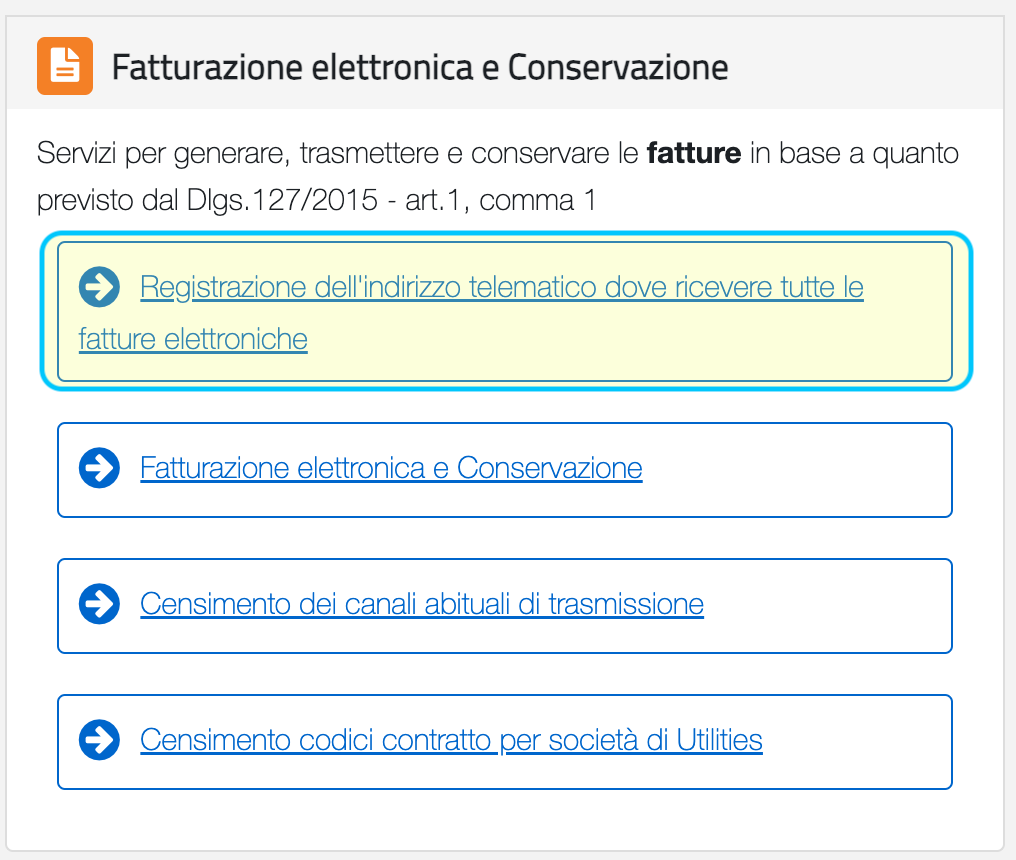
Once logged in, navigate to “Fattura elettronica e Conservazione” and click on “Registrazione dell’indirizzo telematico dove ricevere tutte le fatture elettroniche”.
Step 2: Change the Recipient Code
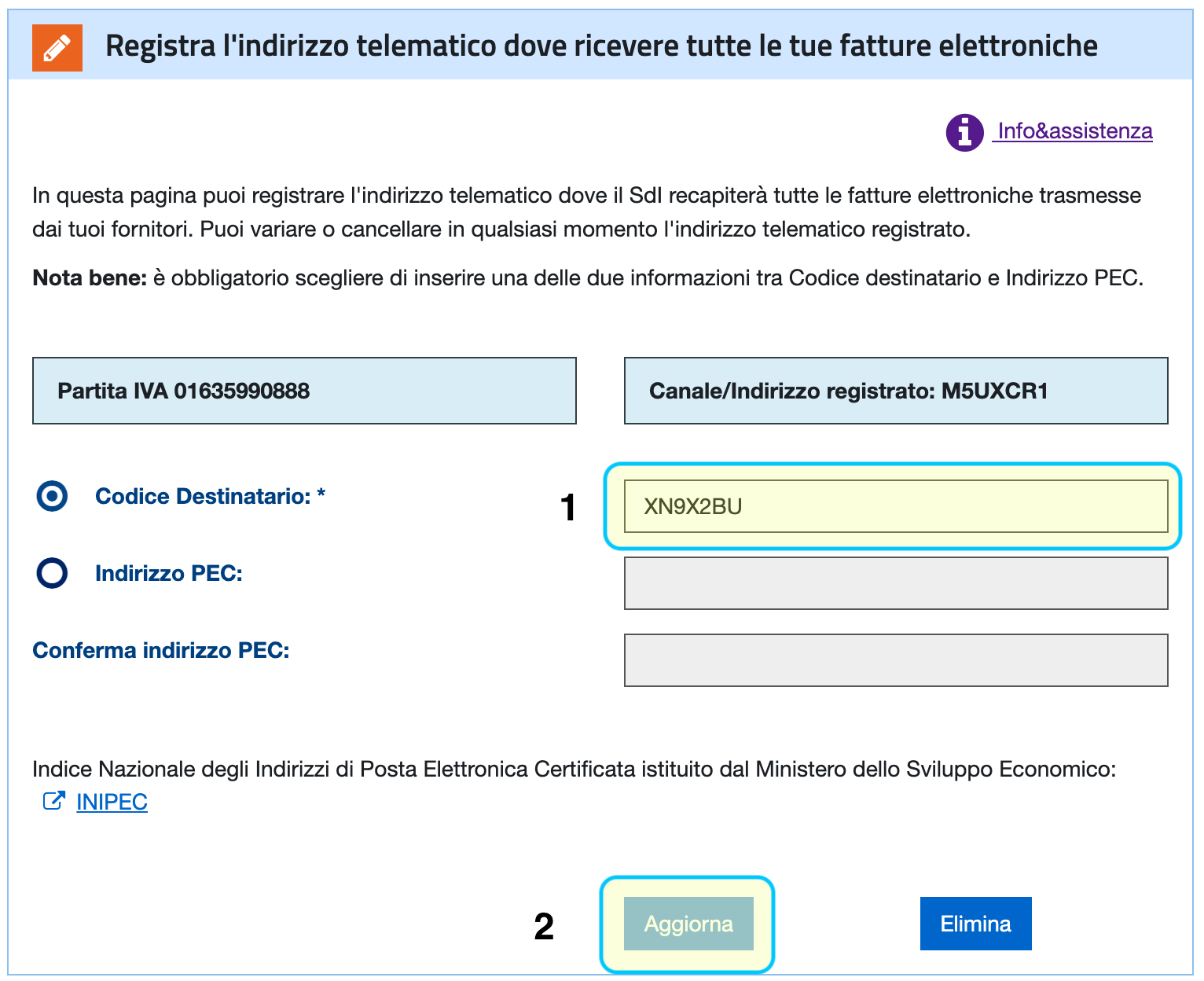
On the screen that appears, enter the FatturaSmart recipient code:
If you already have a registered recipient code (e.g., from another software), replace it with FatturaSmart’s code.
Step 3: Confirm Changes
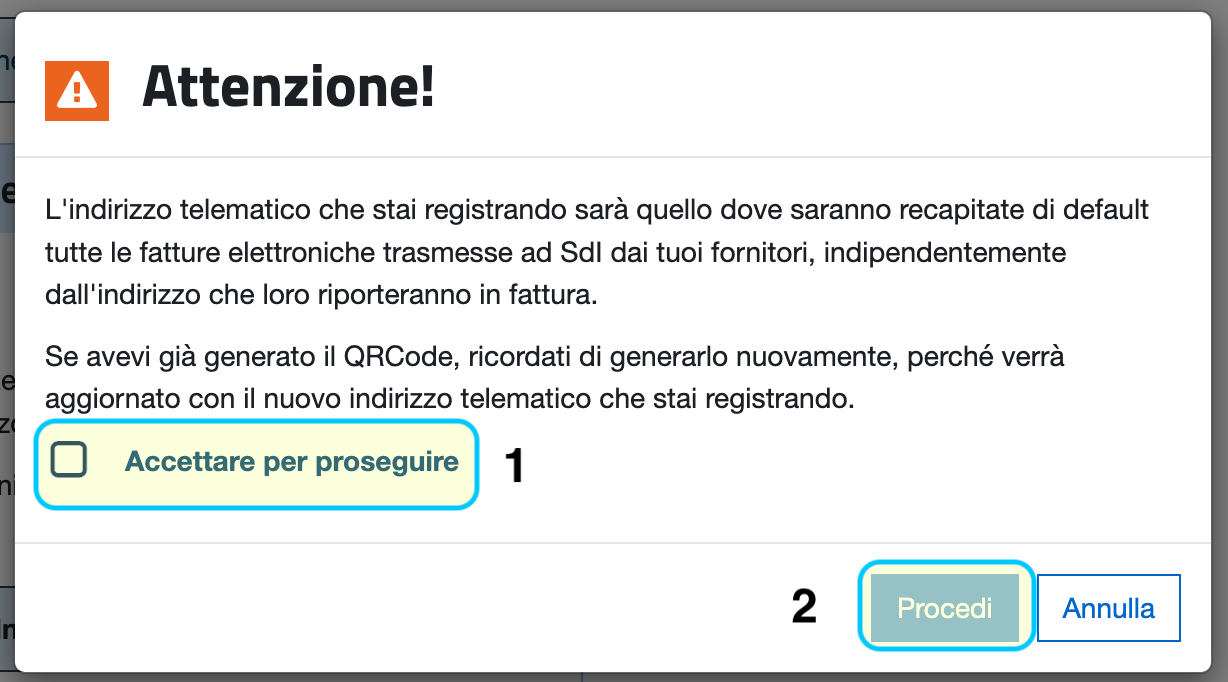
In the confirmation window:
- Check “Accettare per proseguire”
- Click “Procedi”
Verify configuration
After completing the procedure, the change is immediately active. From now on:
- ✅ All new electronic invoices will arrive on FatturaSmart
- ✅ You can view them in the “Incoming Invoices” section
- ✅ You can register payments and manage accounting
Note: Invoices issued before changing the recipient code will not be transferred automatically. For those, you’ll need to manually import the XML file from the tax portal.
What’s next?
You’ve completed the initial setup! Now you can:
Need help?
If you encounter any difficulties during configuration, we’re here for you:
- WhatsApp: +39 351 410 2536
- Email: info@fatturasmart.com
We respond personally, no bots!
